Category: Productivity

  • Why I joined HarQen

    Today was my first day as a HarQen team member. Although my title is Director of Client Services, I’ll be wearing many hats. What, you haven’t heard of HarQen yet? You can be excused. During its young life, the members of this lean start-up have built from scratch a set of web-based services in an entirely new category: Voice Asset Management (VAM). It is ambitious in the extreme — and leaves little time for a focused PR effort.

    That’s one place where I come in. I’ll be wearing many hats here, but two are social media “ambassador” and PR leader. I’ll be helping HarQen clients share their stories about these astounding services. Chief among those offerings is VoiceScreener, a way to vastly improve the quality and speed of hiring.

    I know from personal experience the value of the VoiceScreener VAM system. (Yes, VAM. There’s that acronym again. Here’s another for you: VaaA, which stands for Voice as an Asset.)

    In a previous life I was the defacto recruiter for the digital marketing team I led. One of the most grueling searches was when I was looking to hire a truly stellar project manager. VoiceScreener would have helped me, by inviting the dozens of applicants to answer a few guided questions over the phone — all at their convenience, talking to an automated “interviewer.” Answers are turned into the voice assets that can be quickly reviewed, sorted and forwarded — all as easily as processing emails.

    One VoiceScreener client brags that the application dramatically accelerates the preliminary phone interview process. He contends it literally doubles the odds that any given applicant is going to be hired. He’s with a large recruiting firm, where twice as many high-quality applicants means, over time, twice as much revenue for him and his company.

    Follow me and you’ll likely hear him tell you about it. All I’ll be doing is providing the megaphone.

    I’ll be posting fewer entries here, at DigitalSolid, as I focus on the blog at VoiceScreener. I hope you follow me over there. The category of VAM is about to heat up and I’d love to share my experiences in this exciting new adventure.

  • What was sorely missing from yesterday’s iPad unveiling was … Graffiti?!?

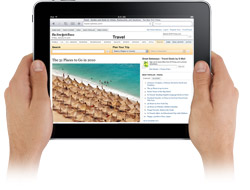
    The iPad, unveiled WednesdayYesterday’s unveiling of the Apple tablet, which we now know is called the iPad, showed a device with a larger surface than the iPhone / iPod Touch. It allows for a better reading and video experience and provides improved ways to do things like manage emails and photographs. Largely unaddressed with this release is a far more important question: How will this multi-touch make me  better at thinking and creating?

    Rocking the PDA old skool with Palm’s Graffiti

    Return with me for a moment to a simpler time, before smartphones got “smart.”

    It was a time when the handheld device du jour was a Personal Digital Assistant (PDA). In the 1990’s, Palm released their Pilot PDA. These Treos, sans cell phone required a stylus for text entry. There was no QWERTY keyboard, and not even a cell phone number pad.

    The user needed to learn a type of stylus script called Graffiti to get text into the thing. Some people got good enough to write with something close to the speed of traditional longhand. Personally, as a lefty, I found it more comfortable to use Graffiti than to write in longhand. I didn’t have to think about the angle of the paper in relation to my contorted left hand. Smearing ink wasn’t an issue.

    This was many people’s introduction to a computer user interface beyond the keyboard. There was a lot wrong with it, though. Styluses are a pain to use. And many Palm users found Graffiti so difficult to use that they simply called up a hunt-and-peck keyboard. Here’s a YouTube demo of it in use.

    For me the golden promise of multi-touch monitors is not the ability to flick through photo galleries or zoom into a map — as cool as those functions are. Ever since the first mass market multi-touch keyboard was made available with the invention of the iPhone, I was waiting for a faster way to record thoughts.

    I was hoping yesterday to learn of a gestural script — a Graffiti without the stylus.

    What’s so wrong with QWERTY keyboards?

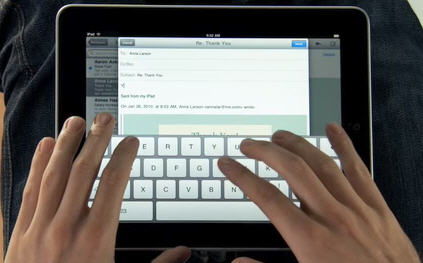
    Whether displayed on an iPhone, an iPod Touch, or now the iPad — old-fashioned keyboards simply don’t free the user to quickly jot something down and get back to work.

    Instead, these devices force users to leave the fluid, intuitive work of (let’s face it!) grown-up finger painting. The appearance of the QWERTY keyboard sends them marching back indoors like a recess bell. Ugh! The taps of fingers on keys — even ultra-modern keys, projected on slick glass iPad surface — still evoke the drudgery of an oppressive cubicle farm.

    I know this sounds a little glib, but think about it. Our speed of productive output are in many ways limited by our office supplies. Give someone a soul-crushing keyboard to think with and you’ll be producing something constrained by that medium. If their work soars, it’s in spite of the keyboard, not aided by it. In 2003, Jeff Han demonstrated to cheers the full effect of a multi-touch experience. I predicted then that this technology will quickly change the very nature of our work experience.

    Apple knows this.

    There have been accounts of Apple applying for and receiving patents on what would be the building blocks of a new gestural interface. New Scientist recently recounted the patents Apple has applied for to tap into “touch or hover” and “gesture dictionary.” That day may arrive with a new version of the iPad. It cannot come soon enough.

    Related post:

  • Jeff Han’s demonstration of multi-touch screens
  • Want to know how you’ll be working in two years? Watch this video

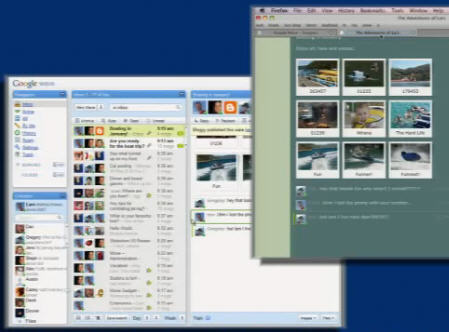
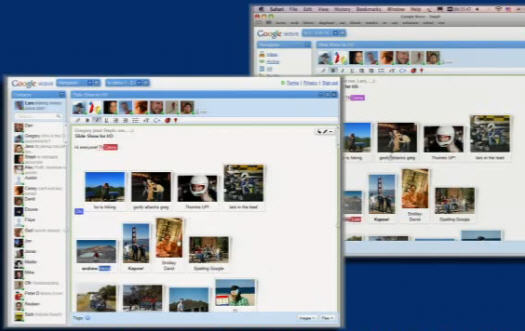
    I’m finding how we’ll be working in a progressively networked future a fascinating topic. Online collaboration has always been difficult. Computing — a decidedly solitary activity — isn’t easily turned into a communal experience. But after watching this video I see a glimmer of a long-distance working community that’s truly more productive than one sitting in adjoining cubicles. It’s a preview of the open source Google Wave.

    Google describes a wave as, “Equal parts conversation and document, where users can almost instantly communicate and work together with richly formatted text, photos, videos, maps, and more.” Here’s the video:

    This video is a full hour long, so let me help you with a couple pivotal features.

    The developers who will be taking and running with this new system will be setting the limits for how we all work together in the next decade. Just as apropos to Online Community Month, they’ll be doing this development in a spirit of true collaboration: open source and forever free to be tweaked and refined.

  • Internet killed the conference

    The reasons we attend a conference haven’t changed since the 1990s. Much else has. Will conferences survive the squeeze? Ross Dawson, Chairman of Future Exploration Network and CEO of Advanced Human Technologies, has some thoughts. I do too, but they’re more from a marketing technology perspective. That means I’m more interested in the environmental changes that are stressing conferences and trade shows. And how we might adapt to these pressures in a win-win for sellers and buyers alike.

    I’ll get to those shortly, along with the insights of Mr. Dawson. But first, let’s recall why we bother to attend them at all:

    • Education — What are our industry best practices and recent developments?
    • Community — Can we reconnect with existing colleagues and friends?
    • Networking — Will we find new colleagues and other resources or business opportunities?

    I’m sure I’m missing some, but if you can agree on these, let’s look at the changes that have pushed conferences in the direction of the dodo.

    Time and money — If the decade since the 1990s is an opera, the Overture was the Dotcom bubble bursting and Act 1 was the World Trade Center attack and the start of two wars — wars that are still droning on through this end of Act 2. We’re entering Act 3 and dealing with another burst bubble, one dragging down the world economy. Need I explain why productivity is down? We all have to get more done with less resources. That means national or international conferences may have to be crossed off our calendars.

    E-learning and online collaboration — We discovered during the first strain on our airports, post-9/11, that we could meet virtually and not suffer unduly. Some things are missed by a Skype or Go2Meeting session, but hey, life isn’t perfect. And in this iterative, speed-to-market economy, imperfect is perfectly okay.

    LinkedIn introductions — Most of my colleagues don’t use LinkedIn every day. But all of them have a profile there. And combined with Facebook and other social networks, they manage to meet new colleagues, vendors and even clients by tapping into their network of trusted connections.

    likemind, BarCamp and The Unconference

    Yes, we still have to physically meet each other. Thinking otherwise is a particularly dangerous form of technological hubris. But meetings of this type have evolved. I first learned about — and then attended — Milwaukee’s BarCamp. This is a free “unconference” that has to be experienced to be believed.

    Then came likemind, the concept too brilliant and hip for uppercase letters (along with e.e. cummings and k.d. lang).

    I won’t prattle on about the monthly event, except to say that, similar to BarCamp, it’s free of charge to attend here in Milwaukee, and it’s held at BucketWorks. Here’s the latest on this “un-networking” event. (The next one is in two weeks!)

    Finally, there is Ross Dawson, who discusses the Un-Conference:

    “There are many forms of unconference, however the basic idea is that participants create the agenda on the day,” says Mr Dawson.

    This leads to highly interactive discussions, and the topics reflecting the interests of the people there.”

    To date, the unconference has largely involved technology and creative industries, and can incorporate both traditional discussion panels, which then become the launch pad for breakout groups where ideas are more directly exchanged between participants.

    Does this sound like echos of both BarCamp and likemind? It should! But Dawson goes on to talk about presentation formats. “Lightning Talks, Ignite, and Pecha Kucha [such as Milwaukee’s Pecha Kucha nights] are a few of the names given to this new breed of presentation night that brings together a range of presenters to share their ideas in an informal setting, energising attendees and promoting networking around the themes being discussed.

    “At the recent Ignite Sydney event, 12 presenters were each given the chance to present 20 slides, with each slide automatically advancing after 15 seconds,” reports the online article on Mr. Dawson. He explains it this way:

    In a world awash with information, it is critical to be exposed to many diverse perspectives and insights.

    A very few speakers and presentations merit 45 minutes. Most other ideas can be highly condensed with little loss, creating a far more dynamic and stimulating experience for the audience.

    Has the internet killed the conference? Perhaps not. But let’s watch it evolve, bending to the demands of a workforce hungry for utility and starved for time.

    Next week I’ll explore how marketers might morph their behavior to better resonate with the new business consumer. In the meantime, I invite your comments. Also, meet me and many of your peers at 8 AM on May 15, at likemind!
  • What are your thoughts on batch processing as a way of getting things done?

    This is my second day back from an extended vacation, and as I get back into the groove I’m using my recharged batteries to once again retool how I allow work to flow through my office. Over my career I’ve looked at many systems and applied a couple stand-outs: Stephen Covey’s First Thing’s First and Steve Allen’s Getting Things Done (GTD). Both have their merits, and I’ve especially benefited from GTD.

    Which is why I saved a bookmark to this Problogger.net post on Batch Processing. It is really a variation on Allen’s GTD approach, and reflects the fragmented workdays for which this industry is known. Grouping like tasks makes sense. What post author Darren Rowse brings to the table that is fresh is the idea of setting up these focused batching processing sessions, timed around queues of tasks.

    Have you tried this technique? I’d love to know your thoughts. If you’d prefer not to comment here, feel free to direct message me on my Twitter account.