Make sure your mass emails look good naked

July 18th, 2007

My Gmail account is set so I don’t see images embedded in emails unless I choose to, on a case-by-case basis. I just received another email today from the company that sent the one below. In both cases, I had no idea who was sending it to me, unless I remembered what company is behind the Goldpoints Plus continuity program I subscribed to ages ago (fat chance!). Can you tell me who this is? This is a screen capture of the first one I received.
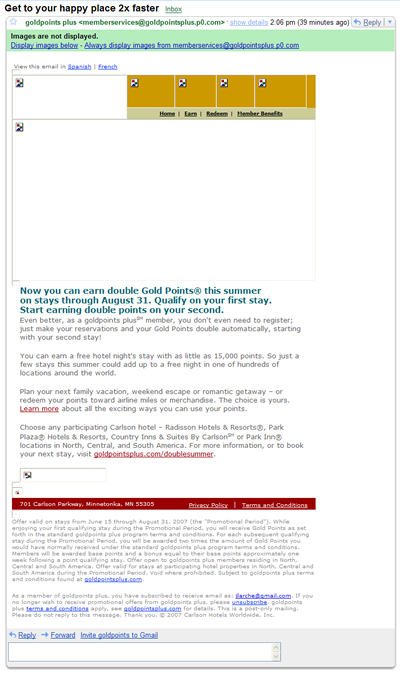
With the images turned off. If you don’t see anything below this image, click on the MORE link to see who it is.

And here is what that same email revealed once I turned on the images:
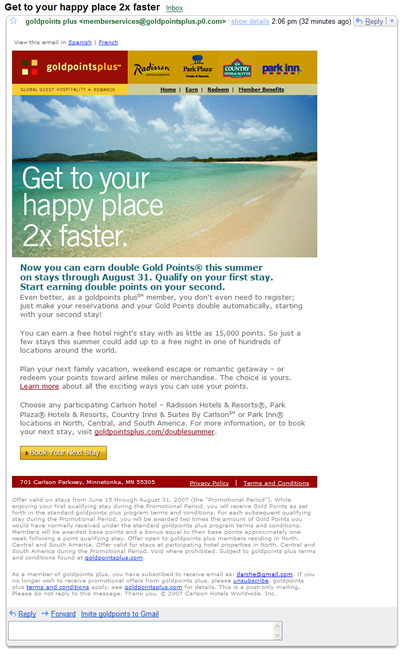
These are the hotel that were represented. Goldpoints people, wake up! No one knows are cares who YOU are. Show us the brands!

The moral of the story: Place ALT text behind an image, and use other devices such as clear text headlines, to identify who you are and what you offer. Otherwise, those who view your email au naturale will more often than not hit delete before investigating further.

Share this through Del.icio.us, StumbeUpon, BlinkList, Ma.gnolia and more: These icons link to social bookmarking sites where readers can share and discover new web pages.
  • Digg
  • del.icio.us
  • BlogMemes
  • Furl
  • Netscape
  • Reddit
  • Slashdot
  • Taggly
  • TailRank
  • Technorati
  • YahooMyWeb
  • BlinkList
  • Ma.gnolia
  • StumbleUpon

Entry Filed under: Email Marketing

Leave a Comment

Required

Required, hidden

*
To prove you're a person (not a spam script), type the security word shown in the picture.
Anti-Spam Image

Some HTML allowed:
<a href="" title=""> <abbr title=""> <acronym title=""> <b> <blockquote cite=""> <cite> <code> <del datetime=""> <em> <i> <q cite=""> <strike> <strong>

Trackback this post  |  Subscribe to the comments via RSS Feed


Calendar

July 2007
M T W T F S S
« Jun   Aug »
 1
2345678
9101112131415
16171819202122
23242526272829
3031  

Most Recent Posts

Social Networks